I Get a To-Do List After My Meetings. Thanks to Claude.
It's like a checklist app that cheers you on all through out the week!

When a client meeting ends, my dopamine is sky high.
They love my strategy. I’ve provided our next steps. Presented the content strategy that month. Interviewed them to extract the next month’s content angles.
I’m on fire!
But, all that energy from that dopamine hit usually evaporates after the call. 🫠
I would feel so accomplished that my body feels like I don’t have to do anything else after.
The moment I close Zoom, my brain shuts down.
See, I almost always never listen to a call recording.
I just rely on my good old memory to write those action items on my Hobonichi Planner.
I’ve worked like that for years, until I’d forget a tiny, minute little minor to-do. And I’m taken aback in the following call because I’d casually forget it.
🧠 Why our brains check out after a great meeting
Dopamine doesn't just make us feel good. It also creates a sense that we've already accomplished something important.
So fun fact: Our brains don’t reward us only for finishing a goal. It also rewards us for making meaningful progress toward one. That's why a great client meeting can leave us feeling oddly accomplished...before we’ve actually done any of the work that follows.
I’d think, “How I wish somebody could extract my to-dos from the last call so I won’t forget it.”
As Little Miss Independent, my own wish is my command.
Sooo, I experimented with AI.
And lo and behold, I made it!!!
The Claude Artifact that turns transcripts into to-do lists
Here’s how it looks! I’m gonna show you how I did it. I’m on the free plan and it works just fine.
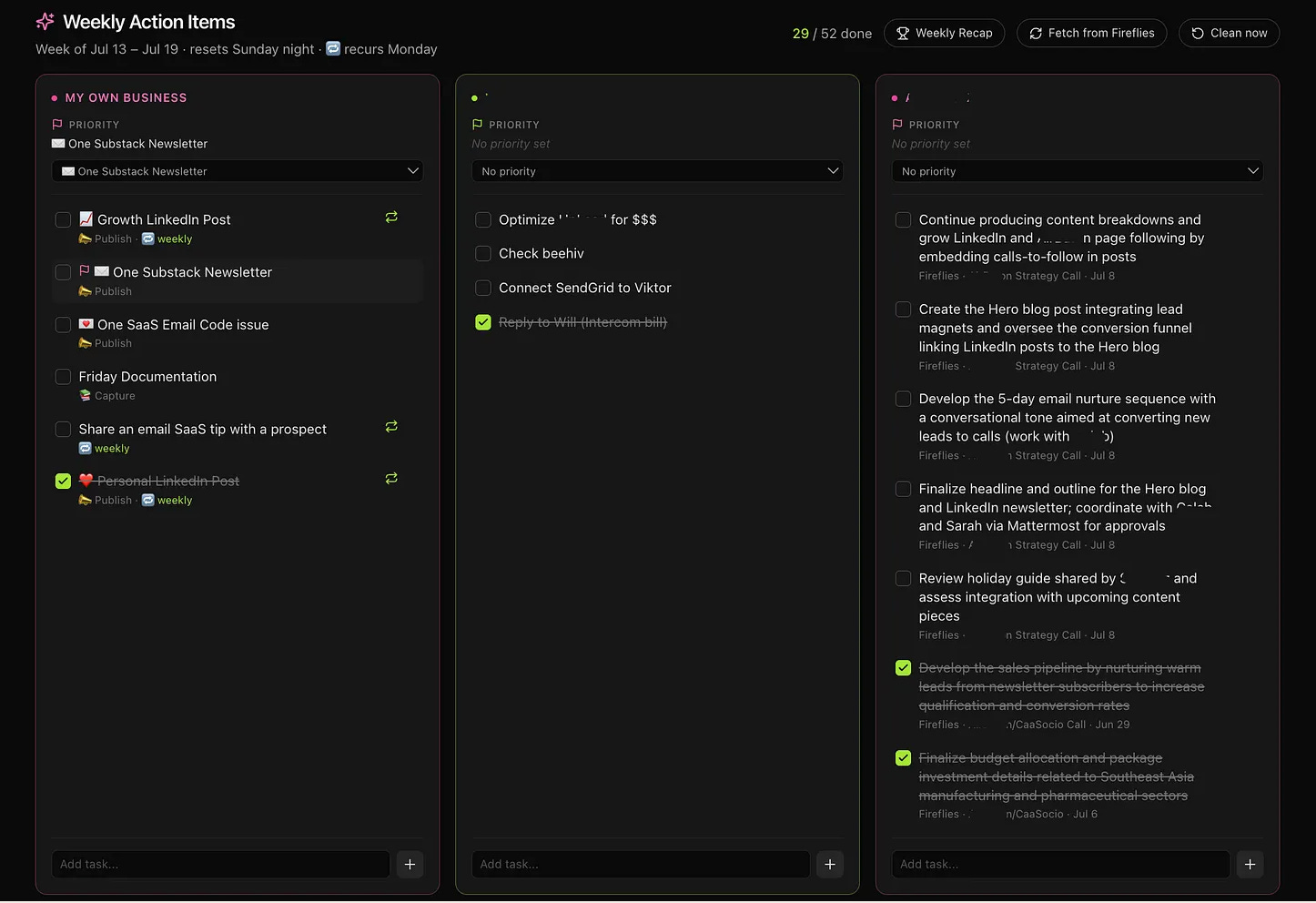
Here’s how to create your own checklist.
First, connect Fireflies to your Claude account.
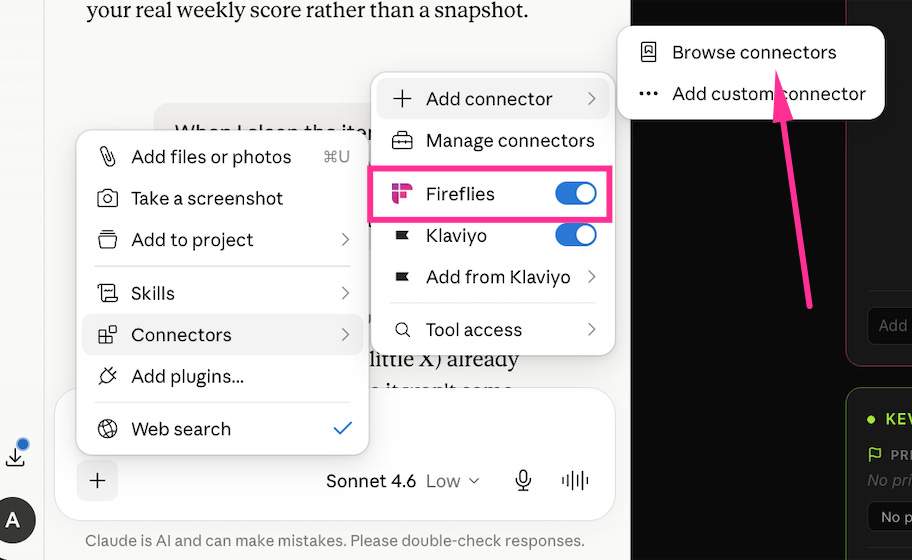
I’m on Fireflies Pro plan because it’s been super helpful to me, especially to my consulting clients.
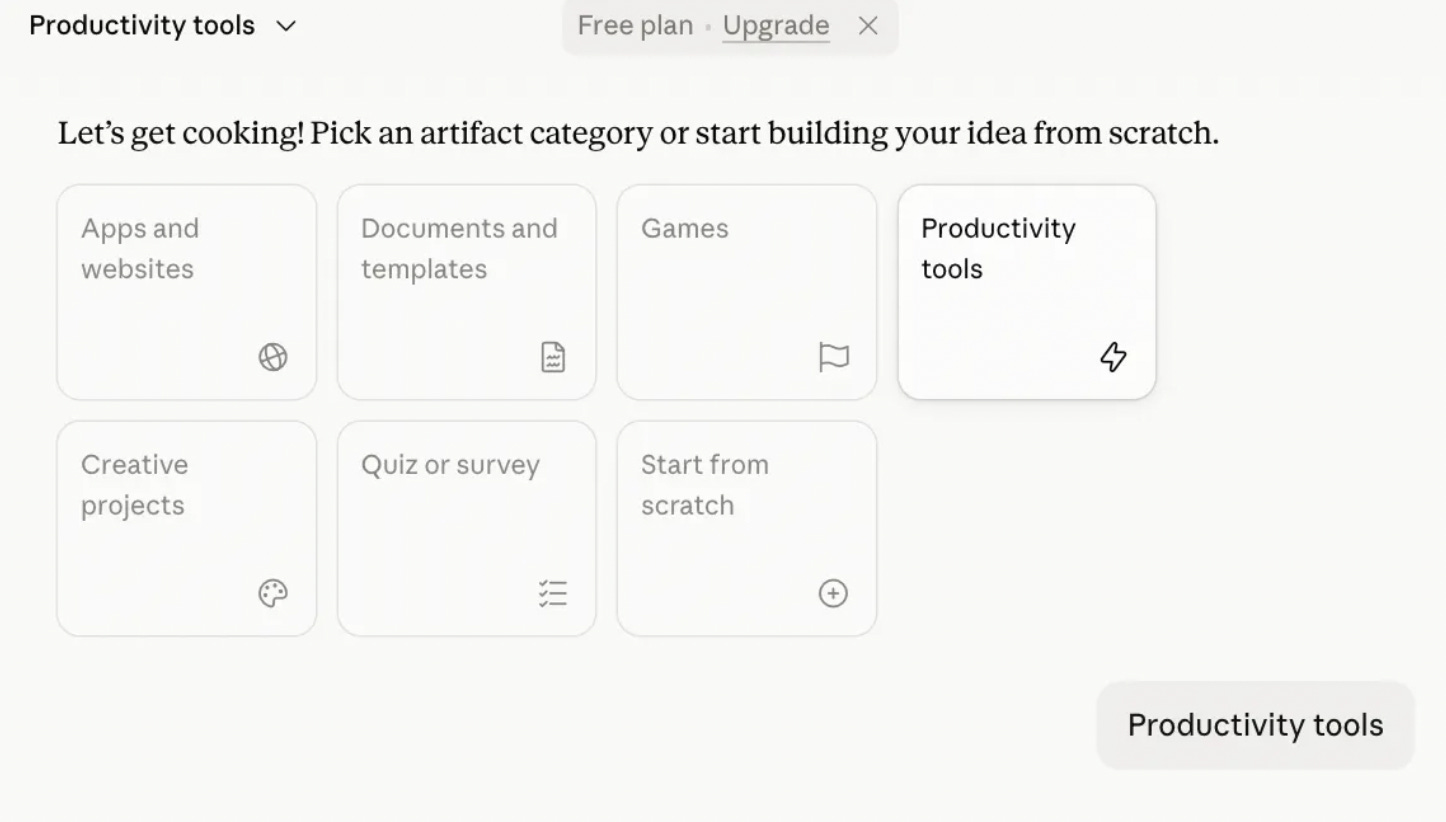
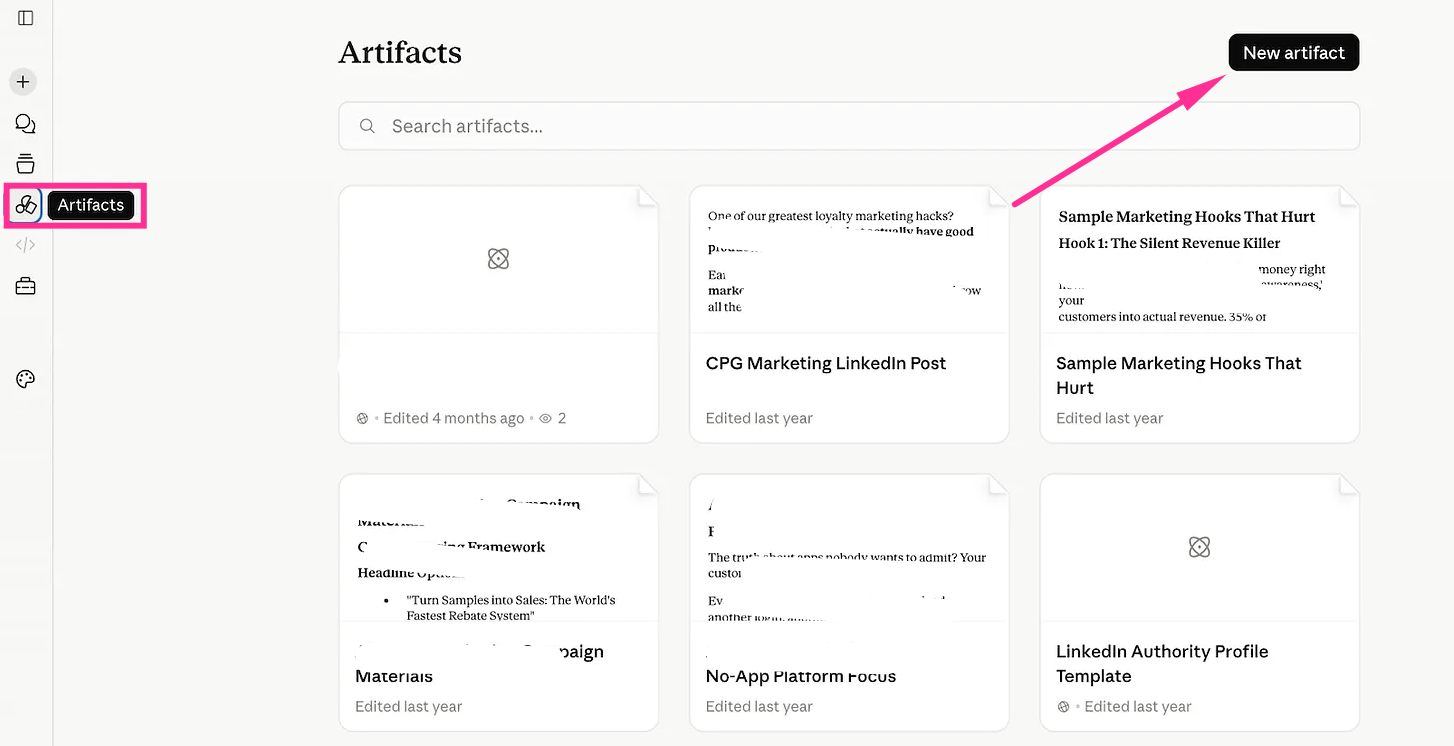
Next, go to Artifacts.
Select “New Artifact”
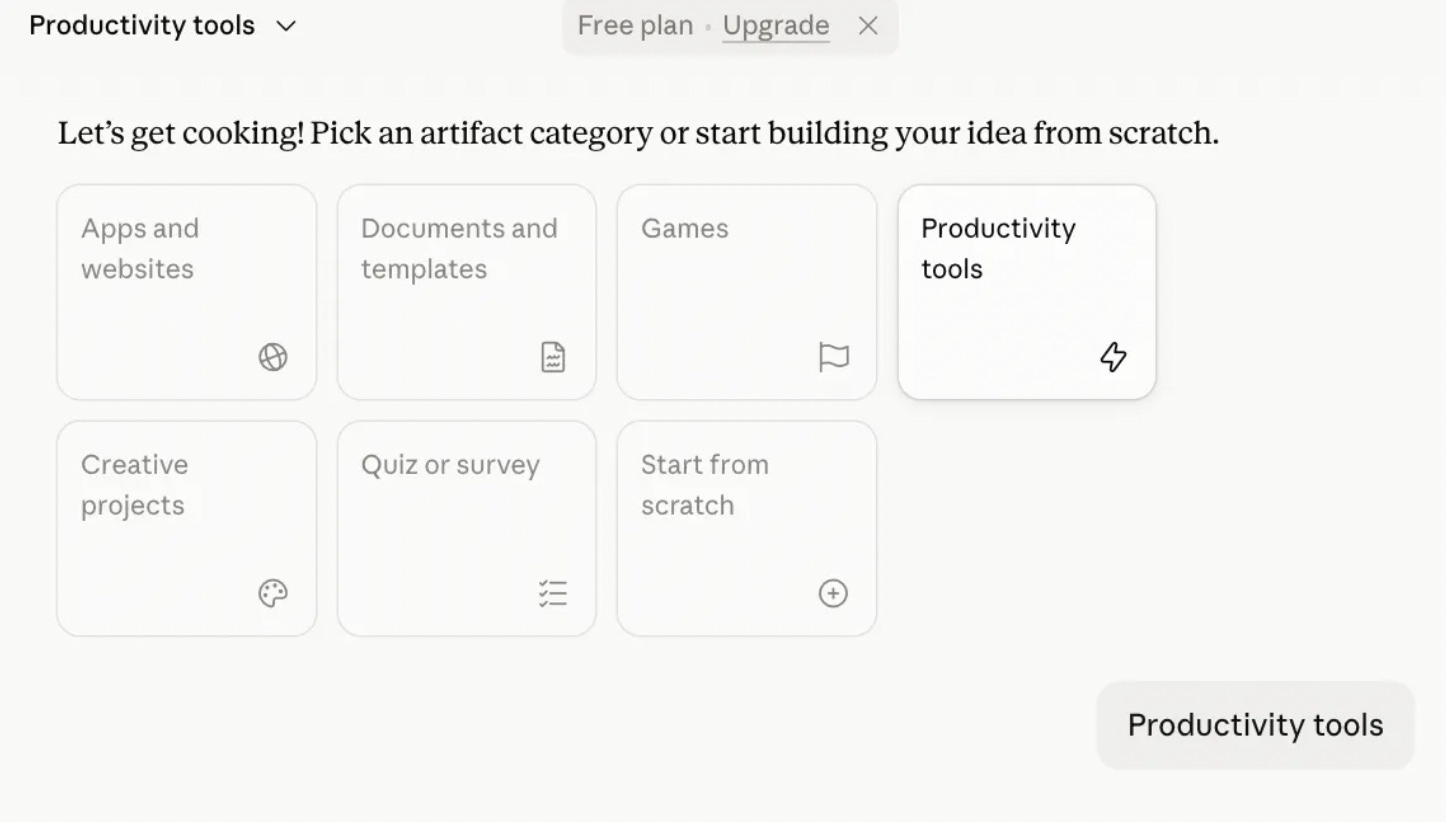
Next choose “Productivity tools”.
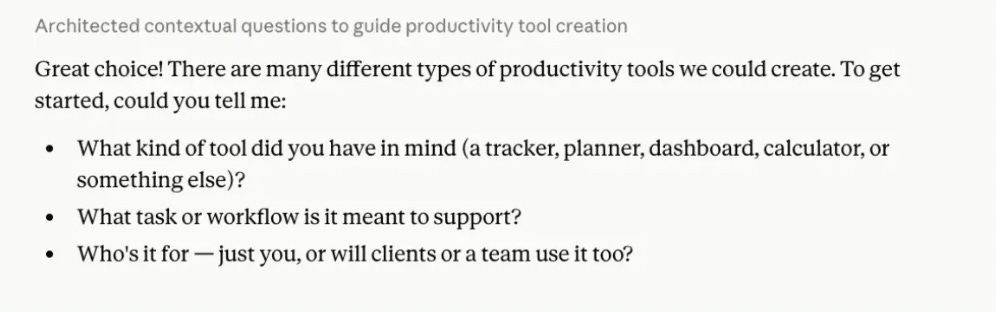
Then it will ask you for the details.
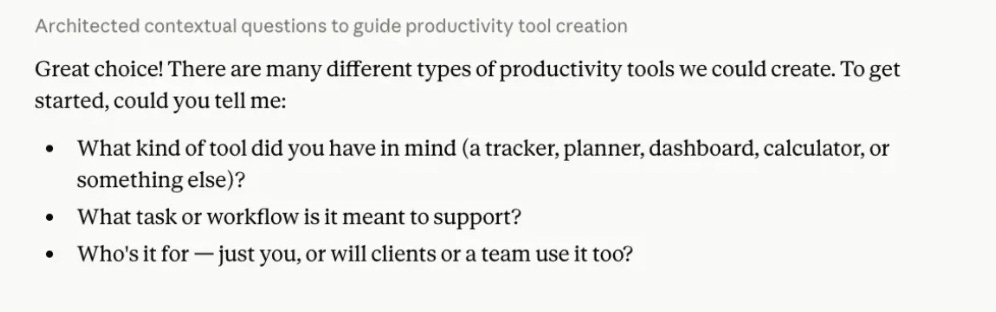
Use this prompt. Or feel free to tweak it.